
About this design
OpenAT Switch Latch
The OpenAT Switch Latch is a switch adapter that enables a standard momentary assistive switch to be used as a toggle switch or latch. Activating and releasing the input switch will turn on and hold on the output. Activating and releasing the input switch again will turn the connected output device off. The device requires one CR2032 coin cell battery for operation.
This device was developed as several assistive switch users requested the ability to control lights and other devices in a semi-permanent manner utilizing their preferred momentary assistive switches.
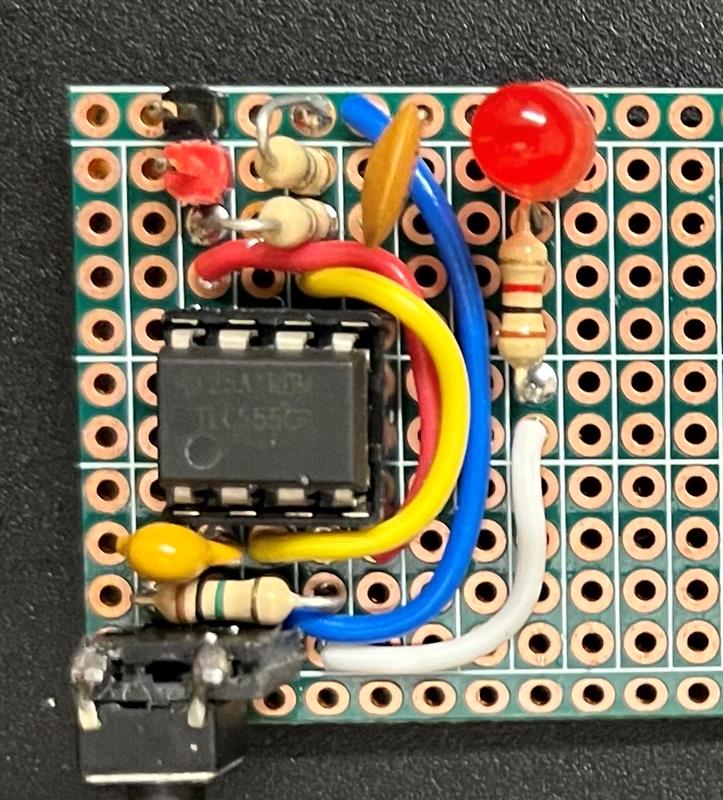
The OpenAT Switch Latch is comprised of off-the-shelf electronics, a custom printed circuit board (PCB) and 3D printed parts.
The OpenAT Switch Latch is open assistive technology (OpenAT). Under the terms of the open source licenses, the device may be built, used, and improved upon by anyone.
The overall cost of materials for a single build is approximately $67 CAD. The cost of materials when built in quantity is $38 CAD.
[!IMPORTANT] 2025-Nov-06: One of the electronic components in this design has been discontinued (MOSFET IRLD014PBF) and is no longer available on DigiKey or Mouser. In the short term, there are some alternative sources (e.g., https://www.amazon.ca/10PCS-IRLD110-DIP4-IRLD110PBF-DIP-4/dp/B0DSSJTPH8). In the longer term, we are working on updating the design with an alternative component.
Last updated: 2026-Jan-12
Usage
To setup the OpenAT Switch Latch, a momentary switch is plugged into the 3.5 mm jack marked 'Input' and the device to be controlled is plugged into the 3.5 mm jack marked 'Output'.
To use the device it must be powered on by sliding the Power Switch towards the left to the On position. When the assistive switch is activated, the LED indicator light will turn on and remain on, and the output device will be activated. When the assistive switch is activated again, the LED indicitor light will turn off and remain off, and the output device will be deactivated.

More info at
How to Obtain a OpenAT-Switch-Latch
1. Do it Yourself (DIY) or Do it Together (DIT)
This is an open-source assistive technology, so anyone is free to build it. All of the files and instructions required to build the OpenAT-Switch-Latch are contained within this repository. Refer to the Maker Checklist below.
2. Request a build of this device
If you would like to obtain a OpenAT Switch Latch, you may submit a build request through the MMC Library Page. The requestor is responsible for the cost of materials and any shipping.
3. How to build this device for someone else
If you have the skills and equipment to build this device, and would like to donate your time to create the switch for someone who needs it, visit the MMC Maker Wanted section.
Getting Started
1. Read the Makers Checklist
The Makers Checklist provides an overview of the steps required to build this device.
2. Order the Off-The-Shelf Components
The Bill of Materials lists all of the parts and components required to build the OpenAT-Switch-Latch. The main switch component needs to be ordered online. The rest of the off-the-shelf components are also online or may be available in smaller quantities at your local hardware store or dollar store.
3. Order the PCBs
The Gerber_Files includes the PCB build information which can be submitted to PCB fabrication service to create the custom PCB. Please refer to MMC-PCB for more information on custom PCB fabrication.
4. Print the 3D Printable components
All of the files and individual print files can be in the /Build_Files/3D_Printing_Files folder.
5. Assemble the OpenAT-Switch-Latch
Reference the Assembly Guide for the tools and steps required to build each portion.
Files
Documentation
| Document | Version | Link |
|---|---|---|
| Design Rationale | 1.0 | OpenAT_Switch_Latch_Design_Rationale |
| Maker Checklist | 1.0 | OpenAT_Switch_Latch_Maker_Checklist |
| Bill of Materials | 1.2.1 | OpenAT_Switch_Latch_Bill_of_Materials |
| 3D Printing Guide | 1.0 | OpenAT_Switch_Latch_3D_Printing_Guide |
| Assembly Guide | 1.2.1 | OpenAT_Switch_Latch_Assembly_Guide |
| User Guide | 1.0 | OpenAT_Switch_Latch_User_Guide |
Design Files
Build Files
License
Copyright (c) 2023-2024 Neil Squire Society.
This repository describes Open Hardware:
- Everything needed or used to design, make, test, or prepare the OpenAT Switch Latch is licensed under the CERN 2.0 Weakly Reciprocal license (CERN-OHL-W v2) or later .
- Accompanying material such as instruction manuals, videos, and other copyrightable works that are useful but not necessary to design, make, test, or prepare the Forest Hub are published under a Creative Commons Attribution-ShareAlike 4.0 license (CC BY-SA 4.0) .
You may redistribute and modify this documentation and make products using it under the terms of the CERN-OHL-W v2. This documentation is distributed WITHOUT ANY EXPRESS OR IMPLIED WARRANTY, INCLUDING OF MERCHANTABILITY, SATISFACTORY QUALITY AND FITNESS FOR A PARTICULAR PURPOSE. Please see the CERN-OHL-W v2 for applicable conditions.
Source Location: https://github.com/makersmakingchange/OpenAT-Switch-Latch
Contributors
- Derrick Andrews, Neil Squire Society. Concept generation, circuit design, testing, documentation.
- Milad Hajihassan, Neil Squire Society. PCB Layout.
- Jake Mclvor, Neil Squire Society. Enclosure design, documentation.
About Makers Making Change

Makers Making Change is a program of Neil Squire, a Canadian non-profit that uses technology, knowledge, and passion to empower people with disabilities.
Makers Making Change leverages the capacity of community based Makers, Disability Professionals and Volunteers to develop and deliver affordable Open Source Assistive Technologies.
- Website: www.MakersMakingChange.com
- GitHub: makersmakingchange
- Bluesky: @makersmakingchange.bsky.social
- Instagram: @makersmakingchange
- Facebook: makersmakechange
- LinkedIn: Neil Squire Society
- Thingiverse: makersmakingchange
- Printables: MakersMakingChange
Contact Us
For technical questions, to get involved, or to share your experience we encourage you to visit our website or contact us.
Files
Battery_Cover.stl
mesh · 0.5 MB · watertight
LED_Spacer.stl
mesh · 0.1 MB · watertight
Enclosure_Top.stl
mesh · 1.0 MB · watertight
OpenAT_Switch_Latch_v54.3mf
mesh · 0.6 MB · not watertight · unreadable, No module named 'networkx'
Switch_Slide.stl
mesh · 0.0 MB · watertight
Enclosure_Bottom.stl
mesh · 1.1 MB · watertight
OpenAT-Switch-Latch_Set.stl
mesh · 2.7 MB · watertight
Reviews (0)
No reviews yet.